Logitech G915 TKL vs Corsair K65 RGB Wireless
Two premium wireless TKL keyboards. Low-profile LIGHTSPEED vs standard Cherry MX AXON. 40hr vs 200hr battery. Here's who wins for gaming and productivity.
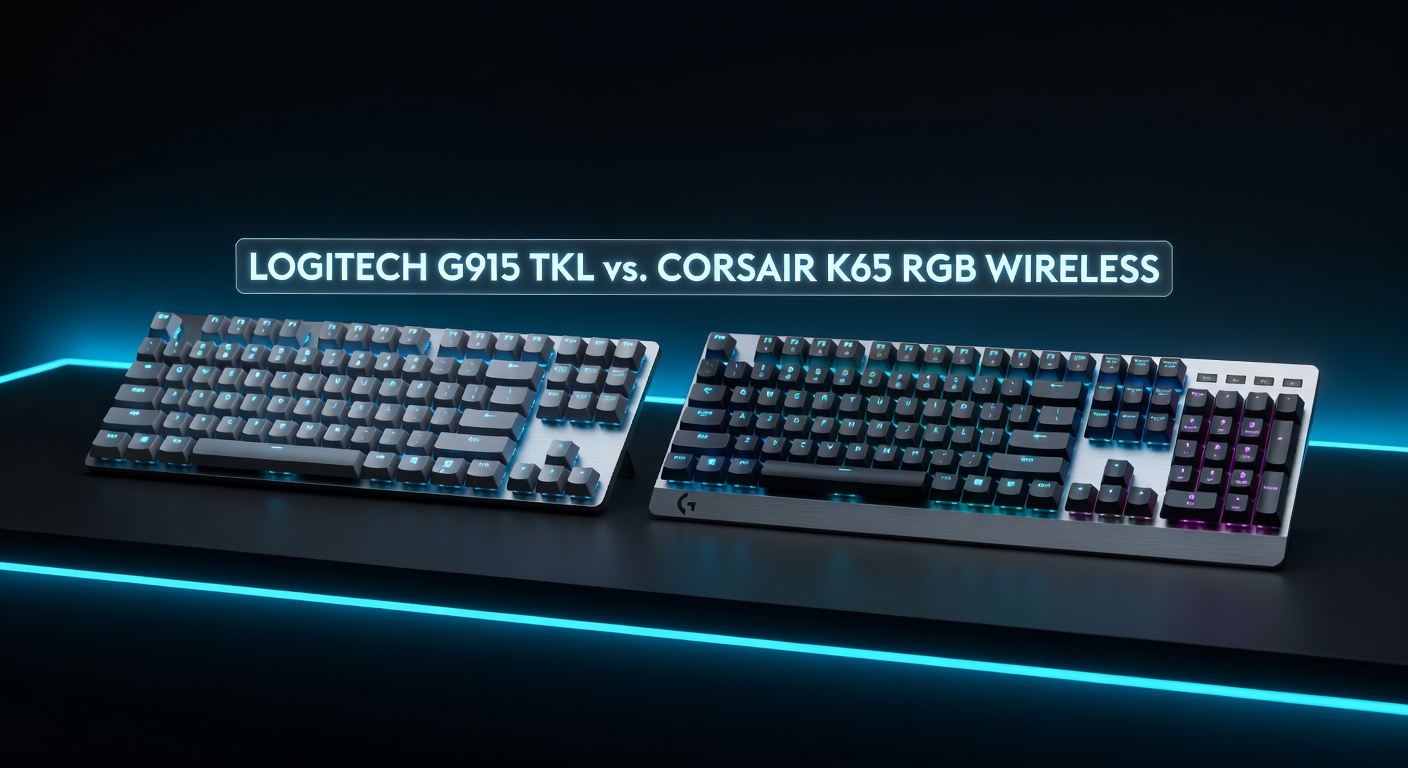
Full Spec Comparison
| Spec | Logitech G915 TKL | Corsair K65 RGB Wireless |
|---|---|---|
| Price | ~$159.99 | ~$139.99 |
| Wireless | LIGHTSPEED 1ms + Bluetooth | AXON 1ms (2.4GHz only) |
| Battery (RGB on) | ~40 hours | ~75 hours |
| Battery (RGB off) | ~135 hours | ~200 hours |
| Switches | GL Tactile / Clicky / Linear (low-profile) | Cherry MX Speed (standard) |
| Switch Profile | Low-profile (shorter travel) | Standard (full travel) |
| Layout | TKL | TKL |
| Build | Metal alloy top | Aircraft-grade aluminum |
| Polling Rate | 1000Hz (1ms) | 1000Hz (1ms) |
| RGB Zones | Per-key LIGHTSYNC | Per-key RGB |
| Bluetooth | Yes | No |
| Software | G HUB | Corsair iCUE |
| Weight | 810g | 940g |
Category Breakdown
Switch Feel
The G915 TKL's GL switches are genuinely different — low-profile with 2.7mm travel (vs ~4mm standard). Fast, quiet (GL Linear), and comfortable for typing. The K65's Cherry MX Speed switches actuat at 1.2mm — the fastest conventional switch. Both feel premium; GL is better for wrist fatigue over long sessions.
Wireless & Connectivity
Both use 1ms wireless at 2.4GHz — identical for gaming. The G915 TKL adds Bluetooth 5.1, letting you connect a second device (phone, tablet) and switch with a button. The K65 is 2.4GHz only. If you want to use the keyboard across multiple devices, the G915 wins clearly.
Battery Life
This is the K65's biggest win. 200hr with RGB off, 75hr RGB on vs the G915's 135hr/40hr. In practical terms, the K65 lasts nearly twice as long with the lights on — which most people leave on. If you're not buying a wireless keyboard to charge it constantly, the K65 matters more here.
Build Quality
Both use metal alloy construction — neither flexes or feels cheap. The G915 TKL is thinner (low-profile) making it feel more premium on a desk. The K65's aircraft-grade aluminum feels slightly denser. Both are top-tier; this is essentially a tie with the edge going to the slimmer G915 for aesthetics.
Gaming Performance
Both hit 1ms at 1000Hz polling — identical latency for gaming. Cherry MX Speed's 1.2mm actuation point is faster to trigger on paper; GL Clicky/Tactile sit at 2mm. For competitive gaming, the Speed switches give a marginal input edge. The G915 TKL GL Linear is the choice if you want both gaming speed and quiet operation.
Value
The K65 is typically $20 cheaper and has better battery life. The G915 costs more but adds Bluetooth. Neither is a bad deal — they're positioned correctly for what they offer. The G915 is worth the premium if dual-device Bluetooth matters to you; otherwise the K65 offers more battery per dollar.
4 Key Differences
G915 TKL wins: Bluetooth + Multi-Device
LIGHTSPEED 2.4GHz for gaming + Bluetooth 5.1 for a second device. Switch profiles let you assign one profile to each connection. Ideal for gamers who also use the keyboard for work calls, music on a phone, or a tablet setup.
K65 wins: Battery Life
75hr vs 40hr with RGB on — nearly twice as long. If you game with RGB enabled (most people do), you'll charge the K65 about half as often. Over months of use, this is a real quality-of-life win.
G915 TKL wins: Low-Profile Design
GL switches at 2.7mm travel feel fundamentally different from standard-height keys. Faster bottom-out on your wrists, more comfortable for long productivity sessions, and a cleaner desk aesthetic. If you type extensively beyond gaming, low-profile GL is worth considering.
K65 wins: Cherry MX Speed Actuation
1.2mm actuation point is the fastest you can get in a conventional switch. For FPS gaming where keystroke speed matters, the Speed switch edges out GL switches. If raw competitive performance is the only metric, the K65's Cherry MX Speed wins.
Verdict
Logitech G915 TKL
Buy the G915 TKL if you want Bluetooth for a second device, low-profile key feel for long typing sessions, and the best wireless keyboard aesthetic on the market. Pay the extra $20 for the Bluetooth + slim design combination.
Corsair K65 RGB Wireless
Buy the K65 if battery life matters — 75hr with RGB on means charging once a week instead of twice. Cherry MX Speed switches give the fastest actuation point available in a wireless keyboard. Good value at $20 less.
Frequently Asked Questions
Is low-profile worth it for gaming?
It depends on your typing habits. Low-profile (GL) switches bottom out faster with shorter travel — some players find this faster and more comfortable. Others miss the tactile feedback of standard full-travel switches. If you type for work as well as gaming, low-profile tends to reduce wrist fatigue during long sessions. Both options are equally viable for competitive gaming.
Can I use either keyboard without the dongle on PS5?
Yes — both can be used wired via USB-C charging cable on PS5. Basic keystrokes work without any software. For wireless use on PS5, plug the 2.4GHz USB dongle into one of the PS5's USB ports. G HUB and iCUE software features (macros, per-key lighting) require a PC connection.
What's the difference between LIGHTSPEED and AXON wireless?
Both are 2.4GHz protocols with 1ms latency — functionally identical for gaming performance. LIGHTSPEED (Logitech) and AXON (Corsair) are just brand names for their respective wireless tech. The real difference is Bluetooth: LIGHTSPEED keyboards like the G915 also include Bluetooth 5.1 for multi-device connectivity. AXON is 2.4GHz only.
Are Cherry MX Speed switches actually faster?
On paper, yes — 1.2mm actuation is shorter than most alternatives. In practice, the difference is rarely perceivable during normal gaming since key travel response is limited by nerve and finger speed, not switch actuation. Where Speed switches help is intentional rapid double-tapping and stop-shoot mechanics in CS2/Valorant. For most gamers, the switch feel and sound profile matter more than the 0.5mm actuation difference.
Is the G915 TKL good for office/productivity use?
Yes — arguably better than the K65 for this use case. The low-profile GL Linear or GL Clicky switches type quietly and comfortably for long sessions. The Bluetooth feature lets you switch to a phone or tablet. If you want one keyboard for gaming at night and work during the day, the G915 TKL with GL Tactile or GL Linear is excellent.